Want to boost your website’s rankings and attract more organic traffic? Start with a comprehensive SEO audit. Here’s a quick overview of what you’ll achieve:
- Identify and fix technical issues like slow page speeds and broken links.
- Improve crawlability and indexing to ensure search engines can access your content.
- Optimize on-page elements such as title tags, meta descriptions, and internal links.
- Enhance mobile-friendliness and user experience for better engagement.
- Review and clean up your backlink profile to strengthen your site’s authority.
Key Takeaways:
- Set up and optimize Google Analytics 4 (GA4) and Google Search Console.
- Check your site’s crawlability, robots.txt, and XML sitemap.
- Test Core Web Vitals, page speed, and mobile usability.
- Review metadata, keyword optimization, and content quality.
- Fix duplicate content, broken links, and orphaned pages.
- Audit your backlink profile and disavow harmful links.
- Ensure proper HTTPS setup and site security.
- Document findings and track progress for continuous improvement.
Why It Matters:
- 68% of online experiences start with a search engine.
- 75% of clicks go to the first page of Google.
- Mobile accounts for over 72% of global internet use by 2025.
Follow these steps to uncover hidden issues, improve your rankings, and stay competitive in search results. Each action builds a strong foundation for long-term SEO success.
Step 1: Set Up Google Analytics and Search Console
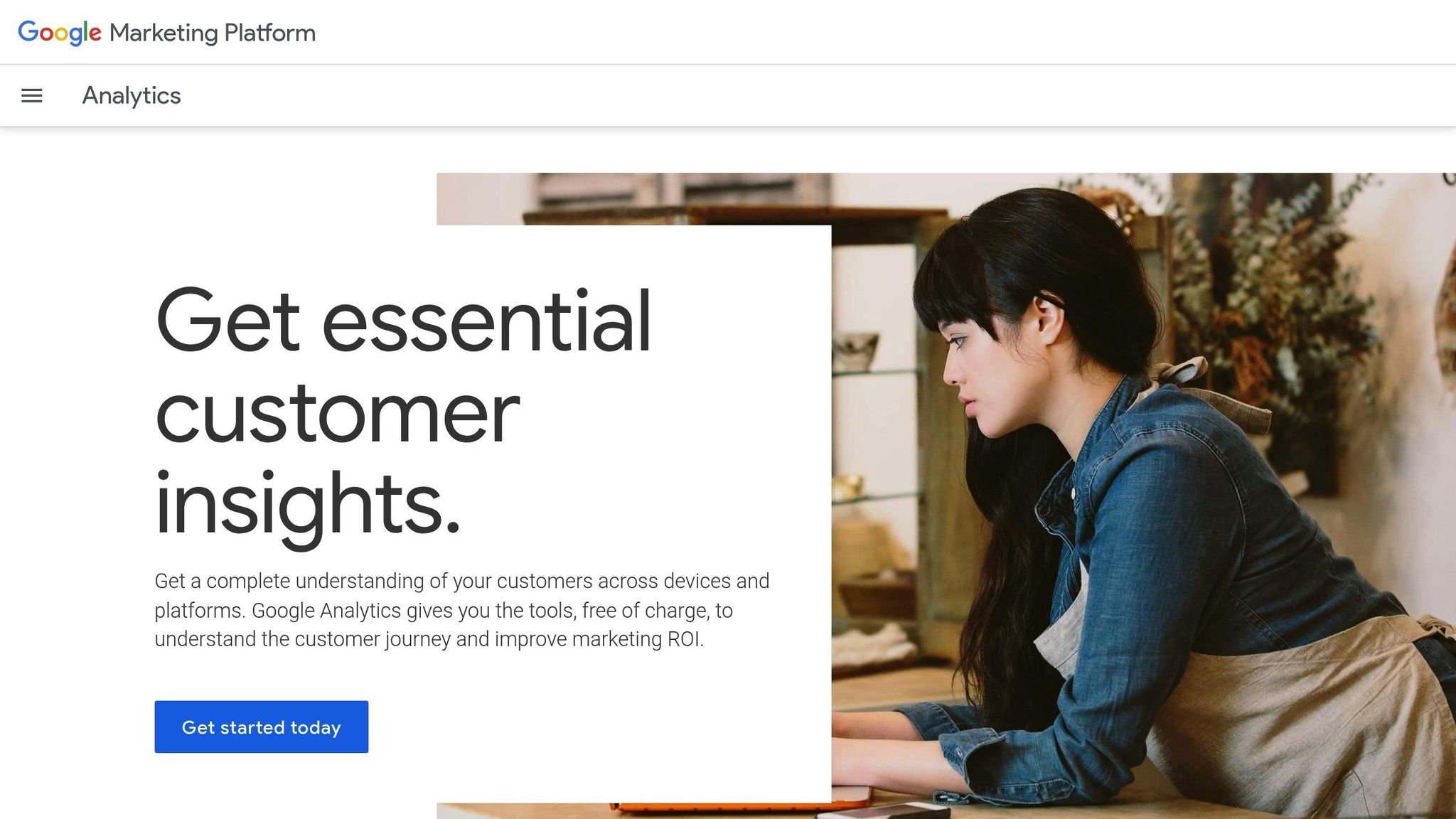
Start your SEO audit by gathering reliable data from Google Analytics and Google Search Console. Google Analytics helps you understand how visitors interact with your site, while Search Console provides insights into how your site performs in search results.
"Using Search Console and Google Analytics together can give you a more comprehensive picture of how your audience discovers and experiences your website, which can help you make more informed decisions as you work on your site’s SEO." – Google Search Central
The benefits of a proper setup are hard to overstate. Websites that actively use these tools to refine their strategies often see noticeable improvements, such as a 15% increase in visibility. Following Search Console recommendations can also boost click-through rates by over 30% in just a few months.
Check Google Analytics Installation
First things first: confirm that Google Analytics 4 (GA4) is installed correctly and collecting accurate data. Tracking issues are more common than you might think, and even minor problems can lead to misleading reports.
To ensure GA4 is working, check the Real-Time reports. Head to your GA4 property, open the Real-Time section, and confirm that active users are being tracked. If you don’t see activity, it’s a sign something’s wrong.
Next, navigate to the Admin panel in GA4 to verify your data stream and check for any errors. If data isn’t flowing as expected, you may need to revisit your installation process.
For those using Google Tag Manager or directly embedding gtag.js, tools like Tag Assistant or GA Debugger can help confirm that tags are firing correctly. These extensions are lifesavers when troubleshooting tracking issues.
Also, make sure to exclude visits from admins and editors. Why? Their activity can skew your data, making it harder to get a true picture of visitor behavior. Adjust your GA4 settings to filter out internal traffic.
Finally, make it a habit to audit your GA4 setup regularly. Updates to your website – like theme changes or new plugins – can disrupt tracking or even create duplicate data, which compromises the accuracy of your reports.
Once GA4 is functioning properly, move on to Google Search Console to get a deeper understanding of how your site appears in search results.
Set Up Google Search Console
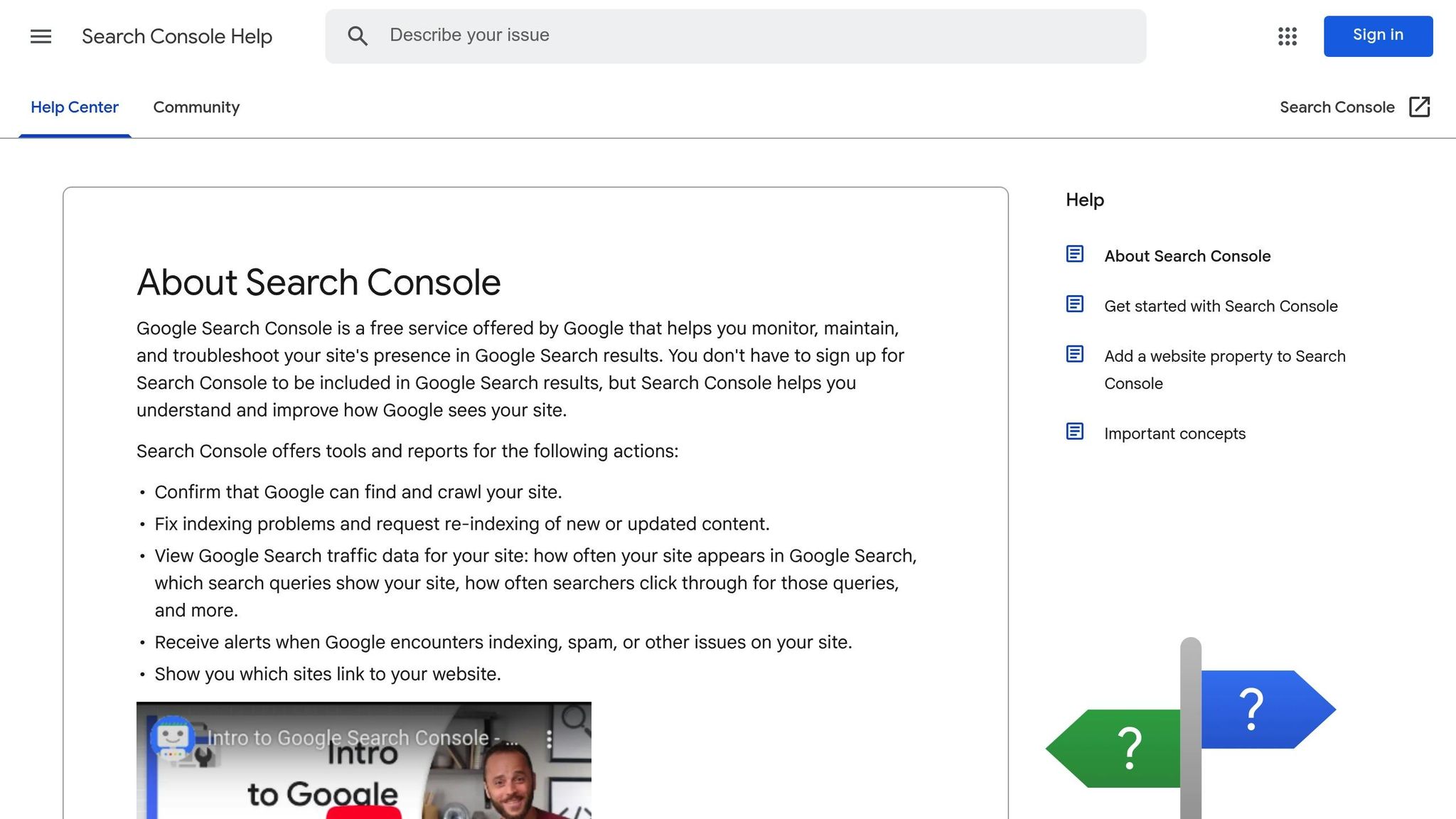
Google Search Console is an essential tool for understanding how Google views your website. It provides key insights into search performance, indexing, and technical issues – all for free.
To get started, click the "Add Property" button in Search Console. You’ll be prompted to choose between two options:
- Domain: Tracks all subdomains and protocols (HTTP and HTTPS).
- URL Prefix: Tracks only the specific URL you enter.
Choose the option that best fits your needs. After that, you’ll need to verify ownership of your site. Verification methods include uploading an HTML file, adding an HTML tag to your site’s header, or using your Google Analytics account if it’s already set up.
Once verified, submit your sitemap. This step helps search engines crawl and index your pages more efficiently. You can find the sitemap submission option under the "Sitemaps" section in the left-hand menu.
"Search Console tools and reports help you measure your site’s Search traffic and performance, fix issues, and make your site shine in Google Search results." – Google Search Console
Check your Search Console dashboard regularly for alerts. These notifications can warn you about security issues, manual actions, or crawling errors – problems that require immediate attention.
The URL Inspection tool is another must-use feature. It allows you to see how Google crawls, indexes, and serves specific pages on your site. Use it to troubleshoot indexing issues and ensure your most important pages are performing as expected.
Link Google Analytics and Search Console
For a deeper analysis, link Google Analytics and Google Search Console. This integration lets you view search data directly in Google Analytics, giving you a unified look at how organic traffic impacts user behavior.
Once linked, you can access Search Console data in the Acquisition section of Google Analytics. This includes details about search queries, landing pages, and geographic performance. To set this up, you’ll need administrative access to your Google Analytics account and verified ownership of your website in Search Console.
Integrating these tools not only makes your data more accurate but also provides a strong foundation for the rest of your SEO audit. By combining keyword insights with user behavior metrics, you’ll have everything you need to fine-tune your strategy and improve your site’s performance.
Step 2: Check Crawlability and Indexing
Once you’ve tackled the basics, it’s time to make sure search engines can actually crawl and index your site. Crawlability issues are surprisingly common, and when search engines hit roadblocks while trying to access your pages, your organic traffic can take a serious hit.
This step is all about uncovering and fixing technical barriers that might be hiding behind your website’s content.
"Your pages must be both crawlable and indexable to rank in search engines." – Elena Terenteva, Product Marketing Manager, Semrush
The upside? Most crawlability problems can be resolved once you pinpoint them. This involves running a detailed site crawl and reviewing key files to ensure search engines can navigate your site without a hitch.
Run a Site Crawl
A great starting point is using Screaming Frog SEO Spider, a tool that simulates how search engines crawl your site. It can spot issues that might otherwise fly under the radar.
The free version lets you crawl up to 500 URLs, which is perfect for smaller websites. For larger sites, the paid version costs about $250 per year and unlocks unlimited crawling and advanced features.
"The Screaming Frog SEO Spider is my ‘go to’ tool for initial SEO audits and quick validations: powerful, flexible and low-cost. I couldn’t recommend it more." – Aleyda Solis, Owner, Orainti
To get started, simply enter your site’s URL into the "Enter URL to spider" box and hit "Start". As the tool works, keep an eye on its progress to identify potential issues.
When the crawl is complete, focus on these areas:
- Status Codes & Server Errors: Look for 404s, 500s, or other errors that prevent pages from loading properly.
- Duplicate Content: Use canonical tags or 301 redirects to handle duplicate pages.
- Internal and External Links: Check for broken links and orphaned pages (those that aren’t linked from anywhere else on your site).
- Site Structure: Use the "Site Structure" tab to see how your internal links are arranged. Important pages should ideally be no more than three clicks away from your homepage.
Fixing these problems ensures search engines can crawl your site efficiently and helps you make the most of your crawl budget. Don’t forget to check how your site performs on mobile devices – mobile-friendliness is crucial for SEO.
"Out of the myriad of tools we use at iPullRank, I can definitively say that I only use the Screaming Frog SEO Spider every single day. It’s incredibly feature-rich, rapidly improving, and I regularly find a new use case. I can’t endorse it strongly enough." – Mike King, Founder, iPullRank
Once you’ve handled crawlability issues, it’s time to review the foundational files that guide search engines through your site.
Review Robots.txt and XML Sitemap
Two critical files – robots.txt and your XML sitemap – play a big role in how search engines crawl and index your site. Even small mistakes in these files can block important content from being indexed.
Robots.txt is like a set of instructions for search engine crawlers. It must be named exactly "robots.txt" and placed in your site’s root directory. Make sure it’s a UTF-8 encoded text file with correctly formatted directives like User-agent, Disallow, Allow, and Sitemap.
Double-check your Disallow directives to ensure you’re not accidentally blocking important content. You might be surprised to find that entire sections of your site are off-limits to crawlers.
Use Google Search Console to validate your robots.txt file. This tool shows how search engines interpret the file and flags any syntax errors.
One common mistake? Blocking CSS and JavaScript files. Search engines need access to these resources to properly render your pages and understand your content.
Your XML sitemap is another key file. It should be properly formatted, include only valid URLs, and be configured to optimize your crawl budget.
- Submit your sitemap to Google Search Console and Bing Webmaster Tools if you haven’t already. This helps search engines find and crawl your pages faster.
- Keep your sitemap updated whenever you add new content or make structural changes to your site. An outdated sitemap can mislead search engines and waste crawl budget on non-existent pages.
- Use Google Search Console’s sitemap validation tools to check for formatting errors and ensure everything is in order.
Regular crawl audits are essential for maintaining your site’s SEO health. For active websites, aim to run these audits monthly. For more static sites, quarterly checks should suffice. This proactive approach helps you catch issues before they impact your rankings.
"Proper use of robots.txt allows control over which parts of a site search engines can access, while XML sitemaps guide them to important pages for better indexing." – Rocket Clicks
Step 3: Test Core Web Vitals and Page Speed
Site speed plays a direct role in search rankings, and Google’s Core Web Vitals are essential metrics for understanding and improving user experience. Here’s a wake-up call: 56% of websites fail Google’s Core Web Vitals tests, and even a few seconds of delay can drive 53% of visitors away.
Websites that perform well on these metrics often see measurable benefits. For instance, strong Core Web Vitals can lead to 24% lower abandonment rates, and improving load time by just 100 milliseconds can boost revenue by around 1%.
"Google has long tried to push pagespeed via Pagespeed Insights and AMP. And now with Core Web Vitals, it really has become inseparable from SEO." – Erwin Hofman, Pagespeed Consultant
Check Core Web Vitals
Start by using Google PageSpeed Insights to gather both lab and real-world user data. Focus on these three critical metrics:
| Metric | Good | Needs Improvement | Poor |
|---|---|---|---|
| Largest Contentful Paint (LCP) | ≤ 2.5s | ≤ 4s | > 4s |
| Interaction to Next Paint (INP) | ≤ 200ms | ≤ 500ms | > 500ms |
| Cumulative Layout Shift (CLS) | ≤ 0.1 | ≤ 0.25 | > 0.25 |
- LCP measures how quickly the main content of your page loads.
- INP (replacing First Input Delay in March 2024) evaluates how quickly your site responds to user interactions.
- CLS tracks unexpected layout shifts, ensuring visual stability.
For a deeper dive, tools like GTmetrix (starting at $10/month) or Chrome DevTools (press F12 in Chrome and navigate to the Performance tab) can provide additional insights.
"You can’t just go and magically fix these things. You need to understand what the problem is itself – is it something on your page, or is it something more about how people are getting to your site." – Barry Pollard, Google Chrome Team
Combine multiple tools for testing – field data reflects real user experiences, while lab data helps simulate and troubleshoot potential fixes.
Improve Load Speed
Once you’ve identified problem areas, focus on optimizing key elements to enhance both user experience and search rankings:
- Images: Convert images to WebP format, specify dimensions to avoid layout shifts, and lazy load non-essential images.
- JavaScript: Remove unused scripts, load non-essential ones asynchronously using
asyncordefer, and minimize tasks that block interactions. - Server Response: Use a Content Delivery Network (CDN), enable browser caching, and implement 103 Early Hints to speed up server responses.
Real-world examples show the impact of these optimizations. Vodafone reduced its LCP by 31% by optimizing images and cutting down render-blocking JavaScript, which led to an 8% increase in sales. Similarly, Yelp lowered page load times by 45% over four months, resulting in up to a 15% jump in conversions. The New York Times, known for its excellent CLS scores, uses fixed-size placeholders for ads and images to maintain layout stability.
Always test your changes across various devices and network conditions. When INP replaced FID in March 2024, nearly 600,000 websites failed to meet the updated Core Web Vitals standards. Regular testing ensures your site stays ahead.
Step 4: Test Mobile-Friendliness and User Experience
After evaluating crawlability and Core Web Vitals, it’s time to focus on delivering a top-notch mobile experience. With mobile devices driving the majority of web traffic, ensuring your site performs well on smartphones and tablets is crucial for strong SEO performance. Google prioritizes mobile-friendly sites in its rankings, and a poor mobile experience can significantly hurt your search visibility and user engagement. This makes mobile optimization a cornerstone of your overall SEO strategy.
The stakes are high when it comes to user experience on mobile. Consider this: 24% of apps are used only once, and 28% are uninstalled within a month of being downloaded. While these stats apply to apps, they highlight a universal truth – users quickly abandon experiences that don’t meet their expectations, whether it’s an app or a website.
Test Mobile Compatibility
Start your mobile audit with tools like SE Ranking‘s Mobile-Friendly Site Test, which evaluates both technical performance and usability while providing actionable suggestions. Lighthouse is another excellent option for generating detailed reports on performance, accessibility, SEO, and progressive web app features.
For deeper insights, tools like BrowserStack or Responsinator allow you to see how your site performs on real mobile devices across different browsers and operating systems.
Key areas to focus on include:
- Touch Elements: Buttons and links should be at least 44×44 pixels to ensure users can easily tap them without frustration.
- Content Readability: Text should be legible without zooming, the viewport should be properly configured, and content must fit within screen boundaries.
- Load Speed: Use Google PageSpeed Insights to compare loading times on desktop and mobile. Slow load speeds negatively impact both user satisfaction and search rankings.
Review Site Navigation
Mobile usability goes beyond compatibility – navigation on small screens requires special attention. A site that’s easy to navigate enhances the overall user experience and keeps visitors engaged.
- Simplify Navigation Design: Eliminate overly complex dropdown menus and tiny links that might work on desktops but are cumbersome on mobile.
- Test for Intuitive Flow: Ensure users can quickly access essential information. Place the most important details front and center.
- Maintain Consistency: Use uniform fonts, colors, and button styles across all screens to create a seamless experience.
- Prioritize Accessibility: With about 19% of the U.S. population living with a disability, ensure your site supports features like proper color contrast, adjustable text sizes, and compatibility with screen readers [57, 60].
- Monitor Responsiveness: Confirm that buttons, links, and gestures respond as expected. Test for any lag or stuttering in animations or transitions, as these issues can irritate users.
The connection between mobile user experience and SEO success is undeniable. As Dave Lull, a former UX designer with 35 years of experience, explains:
"Good UX means high usability and pleasant experience (must have both). Usability means ease of use: intuitive, no problems, zero frustration. The highest usability makes the UI disappear." – Dave Lull
Use a mix of tools to get a complete picture of your site’s mobile performance, and test regularly – especially after making updates. With Google’s mobile-first indexing, where the mobile version of your site takes precedence for rankings, optimizing for mobile isn’t optional; it’s essential for SEO success.
Step 5: Review On-Page SEO Elements
Now that you’ve tackled technical and mobile SEO, it’s time to zero in on on-page optimization. These elements play a critical role in signaling to search engines why your content matters and how it aligns with user queries. Considering that search engines drive 300% more traffic to websites than social media, getting your on-page SEO right can make a huge difference in your site’s performance.
On-page SEO is all about fine-tuning individual web pages to improve search rankings and attract the right audience. The challenge is to strike a balance – optimizing for keywords while ensuring a seamless experience for your readers. With technical and mobile aspects already addressed, focusing on these on-page elements can take your SEO to the next level.
Review Metadata
Metadata is like your website’s elevator pitch – it’s the first thing users see in search results. If your site is already crawlable and mobile-friendly, the next step is to polish your metadata for maximum visibility. This includes title tags, meta descriptions, and header tags, all of which influence both rankings and click-through rates.
Start with your title tags. These should be between 50–60 characters to avoid being cut off in search results. Every page needs a unique title that naturally incorporates its main keyword. Duplicate titles can confuse search engines, so make sure each one stands out.
Meta descriptions don’t directly affect rankings, but they can significantly impact click-through rates. Keep them concise – 150–160 characters – and use them to craft a compelling summary of your content. If possible, include your target keyword naturally.
Your header structure is another essential piece. Each page should have one H1 tag that clearly defines the main topic. Use H2 and H3 tags to organize subtopics logically, making your content easier to read for both users and search engines.
To identify any issues with metadata, tools like Screaming Frog or Semrush’s Site Audit can help you spot missing, duplicate, or improperly formatted tags.
Check Keyword Optimization
Keyword placement is important, but overdoing it – often called keyword stuffing – can hurt your rankings. Instead, focus on using keywords naturally and aligning your content with what users are actually searching for. Brian Dean from Backlinko provides a great example of this approach. He updated his "SEO strategy" post to better match user intent, which helped it perform better in search results.
Your primary keyword should appear in key areas like the title tag, H1 header, opening paragraph, and naturally throughout the content. Secondary keywords can support the main topic by appearing in subheadings and related sections. Additionally, using semantic keywords – words and phrases related to your main topic – helps search engines understand the depth and context of your content.
Modern algorithms prioritize content quality and user experience over rigid keyword density. Keep that in mind as you refine your pages.
Fix Duplicate Content
Once your keywords are in place, check for and resolve duplicate content issues. Duplicate content can dilute your SEO efforts by splitting backlinks, wasting crawl budget, and creating unnecessary competition between your own pages. While Google doesn’t typically penalize duplicate content unless it’s manipulative, it does filter out duplicates in favor of unique pages.
"Duplicate content confuses search engines and dilutes the authority of your website, leading to lower rankings, decreased organic traffic, and a negative impact on user experience." – Anatolii Ulitovskyi, Unmiss
Start by identifying duplicate content. Use tools like Google Search Console to find instances where multiple URLs serve the same content, such as variations between HTTP/HTTPS or www/non-www versions. A "site:" search on Google can also help spot duplicates.
For a deeper scan, tools like Siteliner (free for up to 250 pages, then $0.01 per additional page), Screaming Frog, or Semrush’s Site Audit can uncover duplicate content, title tags, and meta descriptions across your site.
To fix duplicates, you can:
- Implement 301 redirects to consolidate pages.
- Use canonical tags to signal the preferred version of a page.
- Apply noindex tags to pages you don’t want indexed.
"Duplicate content work is just housekeeping, tidying up your site to improve how Google crawls and indexes it." – James Maxfield, Dark Horse
Preventing duplicate content is just as important as fixing it. Use consistent internal linking (e.g., stick to either HTTP or HTTPS, and www or non-www formats), and add self-referential canonical tags to guard against content scraping. Additionally, manage URL parameters in Google Search Console and avoid repeating boilerplate content across multiple pages.
Step 6: Review Content Quality and Relevance
Take a step back and assess whether your content truly meets the needs of your audience. While technical and on-page SEO factors set the foundation, content quality is the final piece that can elevate your strategy. It’s a major ranking factor that directly influences user engagement and search performance. For instance, about 17% of B2B sales and marketing professionals achieved a 30% boost in lead conversion rates by leveraging intent data. This highlights how aligning content with user needs can lead to measurable business outcomes.
Neglecting outdated or poorly written content can drag down your performance, so regular audits are crucial.
Review Content Accuracy and Depth
Your content should address user intent clearly and thoroughly. Dive into metrics like top keywords, time on page, and bounce rates to pinpoint areas where your content may be falling short. High bounce rates or low engagement often indicate that users aren’t finding what they need.
A content gap analysis can help identify missing elements. Ask yourself: Does your content go deep enough to fully answer user questions? Different types of intent require different approaches. For example:
- Informational intent: Users need detailed, educational content that answers their questions.
- Navigational intent: Clear, straightforward information works best here.
- Transactional intent: Focus on persuasive, action-driven messaging.
Take a look at the search engine results pages (SERPs) for your target keywords. Are competitors offering in-depth guides while your content only scratches the surface? That could be a sign to expand. Also, pay attention to comments, social media feedback, and direct inquiries for qualitative insights that might reveal hidden gaps. These steps will naturally lead you to identify underperforming pages.
Find Low-Value Pages
Low-quality or outdated pages can weaken your site’s authority, so identifying and addressing them is critical. Regular audits can ensure all content on your site remains relevant and valuable.
Start by spotting thin or underperforming pages. Look for content that’s sparse or has high bounce rates. Tools like Google Analytics and website crawlers are great for tracking down pages that fail to engage your audience.
For outdated content, focus on pages with declining metrics, such as reduced time on page or increasing bounce rates. Once you’ve identified these problem areas, decide how to handle them:
- Rewrite and expand thin content to add depth and clarity.
- Remove pages that no longer serve a purpose.
- Consolidate similar pages into one comprehensive resource.
- Refresh older content with updated information and data.
sbb-itb-7a53647
Step 7: Review Internal Linking and Site Structure
After assessing your site’s crawlability and indexing, it’s time to fine-tune your internal linking strategy. Internal links are more than just navigation – they help distribute authority across your site, making it easier for both users and search engines to find and understand your content. Done poorly, internal linking can bury valuable pages or leave users stranded with dead ends.
A well-organized internal linking structure resembles a pyramid. At the top, you have your homepage or main pillar pages. Below that are subcategories or cluster pages, and at the base are your specific content pages. By refining this structure, you can strengthen your site’s SEO and improve user experience.
Check Internal Linking Strategy
Start by evaluating how your internal links are set up. Are they helping you achieve your site’s goals? Look for ways to connect related content and pass authority from high-performing pages to those that are newer or less visible.
- Optimize anchor text. Make sure your anchor text is concise, relevant, and descriptive without going overboard with keywords. Avoid using the same anchor text for multiple destination pages, as this can confuse search engines about which page to prioritize for a given term.
- Place links strategically. Links higher up on a page tend to carry more weight. Including relevant links early in your content can keep users engaged and reduce bounce rates.
Tools like Link Whisper (starting at $97/year) or Screaming Frog (paid version costs $259/year) can help analyze your internal linking patterns. These tools identify pages that may need more links and suggest opportunities for connections.
- Build topic clusters. Group related content around pillar pages. For example, Yoast links shorter articles like "7 keyword research mistakes to avoid" and "What is keyword research" to their cornerstone piece, "The ultimate guide to keyword research." This approach signals to Google that the guide is the most comprehensive resource on the topic, helping it rank higher. At the same time, the shorter articles link back to the main guide, creating a cohesive cluster.
Fix Broken or Orphaned Links
Once you’ve reviewed your internal linking strategy, address broken links and orphaned pages. Broken links frustrate users and harm SEO, while orphaned pages – those with no internal links pointing to them – are nearly invisible to search engines.
- Find broken links. Use tools like Dead Link Checker, Ahrefs, or Screaming Frog to identify broken internal links. You can also check Google Analytics and Google Search Console for 404 errors. Manual checks can help catch issues that automated tools might miss.
- Fix broken links. Update URLs for pages that have moved. If a page has been permanently removed, set up a 301 redirect to a relevant alternative. Even small errors like typos in URLs can cause broken links, so double-check for these as well.
- Identify orphaned pages. Compare your XML sitemap to pages found during a site crawl. Pages with no incoming internal links are considered orphaned. Tools like Ahrefs’ Site Audit or Screaming Frog can help you pinpoint these pages. Google Search Console may also flag unindexed pages due to missing links.
- Address orphaned pages. For valuable orphaned pages, add internal links from relevant content or include them in your site’s navigation. If a page has little value, consider redirecting it to a more useful page or removing it entirely.
Regular link audits are essential to catch and fix these issues before they pile up. Train your content team on best practices for internal linking, and when planning site migrations, always include a strategy for 301 redirects. This proactive approach ensures your site remains user-friendly and search engine-friendly.
Step 8: Review Backlink Profile and Remove Bad Links
Once your internal links are in good shape, it’s time to shift focus to your external signals by reviewing your backlink profile. Think of this as your site’s reputation tracker across the web. Quality backlinks can elevate your rankings, while harmful ones can drag them down. With 94% of online content receiving zero links, the few links you earn carry significant weight in Google’s algorithm.
Backlinks, while not entirely under your control, require careful monitoring and proactive measures. Conducting a thorough backlink audit helps you identify which links are pushing your SEO forward and which could be holding you back.
Check Backlink Quality
Start by analyzing your backlinks to separate the good from the bad. High-quality backlinks typically come from authoritative, relevant websites and are embedded as dofollow links within the body text of their pages. These links pass the most "link juice", boosting your site’s ranking potential.
To get a comprehensive view of your backlink profile, use tools like Ahrefs, which tracks 35 trillion historical backlinks and 218 million domains, or SEMrush, which monitors over 43 trillion backlinks.
When evaluating backlinks, focus on these key factors:
- Anchor Text: Ensure it naturally includes target keywords and aligns with the content of the linking page.
- Relevance: The linking site’s topic should align with your niche and demonstrate a genuine intent to provide value.
- Placement: Links within the main body content are far more impactful than those in headers, sidebars, or footers [110, 113].
- Domain Authority: Metrics like Ahrefs’ Domain Rating (DR) and URL Rating (UR) measure the authority of the linking domain and page, respectively. Tools like Moz‘s Page Authority (PA) also help predict ranking potential [111, 115].
"Google uses links as an important factor in determining the relevancy of web pages." – Google Search Central Community
Be on the lookout for red flags, such as multiple links from domains sharing the same IP address (a sign of a private blog network) or links from irrelevant websites. These can undermine your site’s credibility and SEO efforts [110, 111].
Once you’ve identified questionable links, it’s time to take action.
Disavow Harmful Links
If your audit uncovers toxic backlinks that could harm your rankings, consider disavowing them. Disavowing tells Google to ignore specific links when evaluating your site. However, this process should be approached with caution – Google warns that improper use can negatively impact your performance.
Before disavowing, attempt to contact the site owners and request link removal. Only proceed with disavowing if you have a substantial number of spammy, artificial, or low-quality links that are causing – or could cause – a manual action against your site [122, 125].
To disavow, create a plain text (.txt) file formatted in UTF-8. List one URL or domain per line (prefix domains with "domain:"). You can add comments by starting lines with "#". The file must remain under 2MB and include no more than 100,000 lines. Upload it via Google Search Console’s Disavow Links Tool. Keep in mind, processing can take several weeks [122, 125].
"You should disavow backlinks only if: 1. You have a considerable number of spammy, artificial, or low-quality links pointing to your site, AND 2. the links have caused a manual action, or likely will cause a manual action, on your site." – Google
One cautionary tale involves a B2B startup whose link-building specialist disavowed several backlinks during an audit, only to see an immediate drop in rankings. This highlights the importance of using the disavow tool only when you’re absolutely certain the links in question are harmful.
To stay ahead of potential issues, regularly monitor your backlink profile. Set up alerts in your preferred tool to track new backlinks and review your profile monthly. This proactive approach ensures your backlink profile stays clean and supports your broader SEO efforts, complementing your internal linking and technical optimizations.
Step 9: Check Security and HTTPS Setup
Once your site’s structure and content are polished, the next step is ensuring it’s secure with a proper HTTPS setup. This isn’t just about safeguarding user data – it’s a key factor in SEO rankings. Google has explicitly stated that "sites using HTTPS would get priority over sites who are still using HTTP". Beyond SEO, HTTPS enhances user trust and prevents browsers from showing alarming security warnings that could drive visitors away.
Conducting regular security audits is a simple but crucial practice. Many websites have vulnerabilities that can hurt user experience and rankings. Here’s how to identify and address common HTTPS issues.
Check SSL Certificate
Start by confirming that your SSL certificate is correctly installed and functioning. The simplest way to check is by looking at your website’s URL – every page should begin with "https://" instead of "http://". This prefix signals to both users and search engines that your site is secure.
Another quick check is the padlock icon in your browser’s address bar. If it’s visible, it means your basic SSL setup is working. However, if you see warning messages or a "not secure" label, there are issues that need immediate attention. Clicking on the padlock icon provides detailed information about your SSL certificate, including its expiration date, issuing authority, and overall validity. Pay special attention to the expiration date – an expired certificate can trigger warnings that erode user trust and hurt your rankings.
One common issue to watch for is mixed content. This happens when HTTPS pages load non-secure HTTP resources, like images or scripts. Even if your main page uses HTTPS, browsers may still flag it as unsecure if any elements are loaded over HTTP. Use your browser’s developer console to identify and fix these warnings.
For a more thorough check, use SSL scanning tools to audit your entire site. These tools can identify all installed certificates and flag potential problems.
To avoid disruptions, set up renewal reminders for your SSL certificates and enable automatic renewals. If a certificate expires, replace it immediately. Purchase a new one from a trusted Certificate Authority (CA) and install it on your server. Make sure to remove expired certificates to eliminate vulnerabilities.
Benefits of Proper HTTPS Implementation
Implementing HTTPS correctly doesn’t just boost your rankings – it also preserves referral data in Google Analytics, giving you a more accurate view of your traffic sources. Plus, visitors are far more likely to engage with a site that displays security indicators rather than warnings.
If cost is a concern, free SSL certificates are available through services like Let’s Encrypt, which makes security accessible for websites of all sizes. Paid certificates, costing between $50 and $200 annually, often come with extra features like extended validation or wildcard coverage for subdomains. The small investment pays off in both security and user trust.
Incorporate regular security checks into your SEO maintenance routine. Checking your SSL certificate status monthly – especially as renewal dates approach – ensures your site remains secure and supports your broader SEO goals without unexpected hiccups.
Step 10: Document and Report Findings
Once you’ve wrapped up your SEO audit, it’s time to organize your findings and track progress. This step ties together insights from technical, content, and backlink audits into a clear plan for ongoing SEO improvements. Without proper documentation and tracking, even the most detailed audit can lose its effectiveness.
"SEO tracking isn’t just about numbers; it’s about understanding what’s really driving results for organic campaigns." – Faryal Khan, Content Marketing Specialist, AgencyAnalytics
By documenting your findings, you ensure that every improvement is measurable and aligned with your strategy.
Create a Summary Report
Start by compiling your findings into a report that prioritizes issues and provides actionable recommendations. Break down the issues into categories like critical, high-priority, and low-priority, and include specific details such as metrics (e.g., load times, affected URLs, or error screenshots) and step-by-step instructions for resolving each problem. Highlight estimated resolution times and the potential SEO impact to help allocate resources effectively.
Your report should include an executive summary that focuses on the most critical findings and their impact on the business. For instance, the average click-through rate for the first position on Google is 31.7%, which is ten times higher than the rate for the 10th position. Including such data underscores the importance of addressing the identified issues.
Once your report is complete, use it as a foundation for tracking progress and refining your strategy over time.
Track Progress Over Time
To measure the success of your SEO efforts, start by establishing baseline metrics before implementing any changes. Record data for keyword rankings, organic traffic, page speed, metadata, and backlinks. These benchmarks will serve as a reference point for evaluating improvements.
Monitor your core metrics, such as organic traffic and Core Web Vitals, on a weekly basis. For metrics that change less frequently, like backlinks and keyword rankings, review them monthly or weekly during active optimization periods.
Use a variety of data sources to get a comprehensive view of your performance. Combine insights from tools like Google Analytics, Google Search Console, and other SEO platforms with manual checks to ensure accuracy.
Automate reports and alerts for consistency and quick responses to major changes. Set up scheduled reports to track key metrics and configure alerts for issues like ranking drops, traffic declines, or technical problems that need immediate attention.
Define custom KPIs that align with your business goals. For example, if lead generation is your focus, track not just organic traffic but also conversion rates from those visitors. In e-commerce, metrics like revenue per organic session can provide deeper insights into your SEO performance.
Make regular audits part of your routine. Conduct comprehensive audits quarterly and focus on specific areas monthly. This approach helps you spot emerging problems early and adapt to algorithm updates and competitive shifts.
Keep a detailed change log to document all updates and their implementation dates. Tracking performance alongside these changes will help you identify what strategies work best for your site. This ongoing documentation not only highlights current challenges but also sets the stage for continuous improvement throughout all phases of your SEO strategy.
Conclusion: Next Steps for Better SEO
An SEO audit is just the beginning when it comes to improving your search rankings and driving organic traffic. While the steps outlined in this checklist lay the groundwork, achieving long-term success demands consistent effort and strategic adjustments. Think of the insights from your audit as a roadmap for continuous improvement.
The search landscape is changing fast. Today, 60% of Google queries result in zero-click searches, and AI-generated results are reshaping how users find information. Adjusting your strategy to align with these shifts is no longer optional – it’s essential.
Focus on the areas that can deliver the biggest returns. Address Core Web Vitals, fix mobile usability issues, and resolve security vulnerabilities. Don’t overlook the power of structured data – properly using schema markup can boost click-through rates by as much as 30%. Make it a priority to implement this effectively.
To keep your content competitive, plan regular updates. Refresh your high-traffic pages quarterly and create cornerstone content with clear, organized headings. Including well-structured Q&A sections can also help optimize for AI-generated overviews.
"When you create content for SEO, it must always be linked to business goals. Because sadly, there is way too much content in SEO that was created for traffic as a vanity metric." – Andrew Holland, Director of SEO at JBH
Once you’ve addressed technical and content-related gaps, decide how to manage your ongoing SEO efforts. Will you handle it in-house, or bring in experts? While 44% of businesses use SEO, many lack the technical skills or time to execute it effectively.
Partnering with experienced professionals, like Organic Media Group, can elevate your strategy. They offer the expertise and tools to adapt to algorithm updates and stay ahead of emerging trends, helping you achieve sustainable growth.
"SEO isn’t a destination; it’s a journey. When you tap into the resources that an SEO agency can offer, it puts you on a path toward more business growth." – Bruce Clay, Founder and President, Bruce Clay Inc.
SEO success isn’t a one-time achievement – it’s an ongoing process. Use your audit as a guide, and commit to consistent monitoring, testing, and refining your strategy. This dedication will help you maintain and grow your search visibility over time.
FAQs
How often should I perform an SEO audit to keep my website competitive in search rankings?
To keep your website competitive in search rankings, it’s a smart idea to run an SEO audit at least twice a year. If you’re in a fast-changing or highly competitive industry, you might want to step it up and schedule audits every quarter – or even monthly.
These regular checkups can uncover and address problems like broken links, outdated pages, or technical glitches. By staying on top of these issues, your site can perform at its best and stay visible in search results.
What are the most common technical SEO issues, and how do they affect website performance?
Some of the most frequent technical SEO problems are slow-loading pages, crawl errors, broken links, missing or improperly set up robots.txt files, and the lack of HTTPS encryption. These issues can hurt your website by making it less visible in search results and leaving visitors with a frustrating experience.
Take slow-loading pages, for instance – they can annoy users and lead to higher bounce rates. Broken links or crawl errors? They make it tough for search engines to properly index your site. And if your site doesn’t have HTTPS security, it can lose trust with both visitors and search engines, which can push your rankings even lower. Fixing these problems is essential to boosting your site’s performance and delivering a smooth experience for users and search engines alike.
Why should I connect Google Analytics with Google Search Console, and how does it improve my SEO strategy?
Integrating Google Analytics with Google Search Console brings together traffic data and search visibility insights, giving you a comprehensive view of your website’s performance. This setup helps you understand how visitors discover your site, which pages rank well in search results, and where there’s room for improvement.
By combining these insights, you can dive deeper into user behavior, pinpoint top-performing keywords, and spot areas to enhance your content. This integration simplifies your analysis process, enabling you to fine-tune your SEO strategy and boost your site’s presence in search results.