
Duplicate content can seriously hurt your B2B website’s SEO by confusing search engines, spreading link authority thin, and wasting crawl budgets. This often results in lower rankings, poor user experiences, and reduced organic traffic. Common causes include dynamic URLs, reused product descriptions, and inconsistent site versions (e.g., HTTP/HTTPS).
Key Takeaways:
- Why It Matters: Duplicate content dilutes rankings and harms user trust.
- Common Causes: URL parameters, session IDs, duplicate product descriptions, and multiple site versions.
- Fixes: Use tools like Google Search Console and Screaming Frog to identify duplicates. Implement canonical tags, 301 redirects, and noindex tags to resolve issues.
- Prevention: Maintain consistent URL structures, conduct regular audits, and create original content.
Addressing duplicate content is an ongoing process that requires technical fixes and regular monitoring to protect your rankings and improve search visibility.
How Duplicate Content Hurts B2B SEO
Duplicate content can create serious issues for your website, directly impacting both search engine performance and user trust. When search engines encounter multiple versions of the same content, they struggle to decide which one to prioritize. This confusion can dilute your rankings, scatter your link authority, and ultimately damage your brand’s credibility.
Lower Rankings and Search Engine Confusion
When search engines can’t figure out which version of your content to rank, it weakens your SEO efforts. Your link equity gets spread across multiple URLs, and your pages end up competing against each other for the same keywords. This is known as keyword cannibalization, and it can significantly hurt your visibility in search results. Even worse, search engines might choose to rank a URL you didn’t intend to highlight, leaving your preferred page in the shadows.
Duplicate content also wastes your crawl budget – the amount of your site that search engines can index within a given time. As Susan Moskwa from Google explains:
The more time and resources that Googlebot spends crawling duplicate content across multiple URLs, the less time it has to get to the rest of your content.
Instead of focusing on fresh, high-value content, search engines spend their resources sifting through duplicates. This inefficiency can turn the size of your site into a disadvantage, limiting your ability to rank effectively.
Poor User Experience
Duplicate content doesn’t just confuse search engines – it also frustrates your audience. For B2B buyers, who are often seeking expert insights and unique perspectives, encountering repetitive or outdated content can be a dealbreaker. It undermines trust and signals a lack of originality, which is particularly damaging in industries where thought leadership is key.
The consequences are immediate. Visitors who expect fresh, valuable information but find content they’ve already seen are likely to leave your site. Worse, they might land on outdated pages with irrelevant product details or expired calls-to-action, further eroding their confidence in your brand. This scattered experience also dilutes your click-through rates, as users spread their attention across multiple similar listings instead of engaging deeply with a single, authoritative page.
For B2B brands, where trust and expertise are crucial for building relationships, these issues can have lasting negative effects on your credibility and ability to convert prospects.
sbb-itb-7a53647
What Causes Duplicate Content on B2B Websites
Figuring out what generates duplicate content is the first step toward addressing it. For most B2B websites, these issues stem from technical setups rather than deliberate copying. Once you pinpoint the source, you can take specific actions to resolve the problem. Let’s look at the three most common causes.
URL Parameters and Session IDs
Dynamic URLs are one of the biggest culprits behind duplicate content on B2B websites. Adding things like tracking codes, sorting options, or filters to URLs creates multiple versions of the same page. For example, search engines see example.com/products?sort=price and example.com/products?sort=name as different pages, even though they display identical content.
The order of parameters can also create duplicates. For instance, ?cat=3&color=blue and ?color=blue&cat=3 are treated as separate URLs, even when the content is the same. Faceted navigation can make this worse, generating thousands of URL variations. A study of 847 WordPress sites found that 73% wasted over 40% of their crawl budget due to parameter-based duplicates.
Session IDs add another layer of complexity. These unique identifiers, assigned to each visitor and appended to URLs, result in what experts call a "sea of nearly identical URLs". This can lead search engines to crawl the same pages repeatedly, wasting resources and ignoring more valuable content. Such duplicates also dilute link equity and hurt overall performance. In fact, sites with poor parameter management experienced average traffic drops of 23% after Google’s January 2024 algorithm update.
Reused Product Descriptions
Recycling manufacturer-provided product descriptions is another common issue for B2B sites. This practice creates external duplicates across multiple distributor websites. When search engines encounter the same content on various sites, they must decide which version to rank, often spreading authority thin across all of them.
Even though Google’s algorithms are designed to identify the original source, unauthorized copies can still appear in search results, weakening your site’s authority. For B2B companies aiming to establish themselves as industry leaders, relying on generic descriptions can hurt credibility and make it harder to differentiate from competitors offering the same products.
Multiple Site Versions (HTTP/HTTPS and www/non-www)
Technical inconsistencies in how users access your site can also lead to duplicate content. Search engines view http://example.com, https://example.com, https://www.example.com, and https://example.com/ as separate entities. Without proper redirects in place, your site essentially exists in multiple locations at once.
This splits link equity among the different versions, making it harder for search engines to determine which URL to prioritize. As TheTextTool explains:
URL normalization is invisible when done right and catastrophic when done wrong.
The problem doesn’t stop there. Even case sensitivity can cause issues – Google treats /Page and /page as distinct URLs. For B2B companies operating regional offices or franchises, this challenge multiplies when corporate content is duplicated across multiple domains without proper canonical tags. The result? Fragmented link equity and weaker SEO performance.
Tools for Finding Duplicate Content
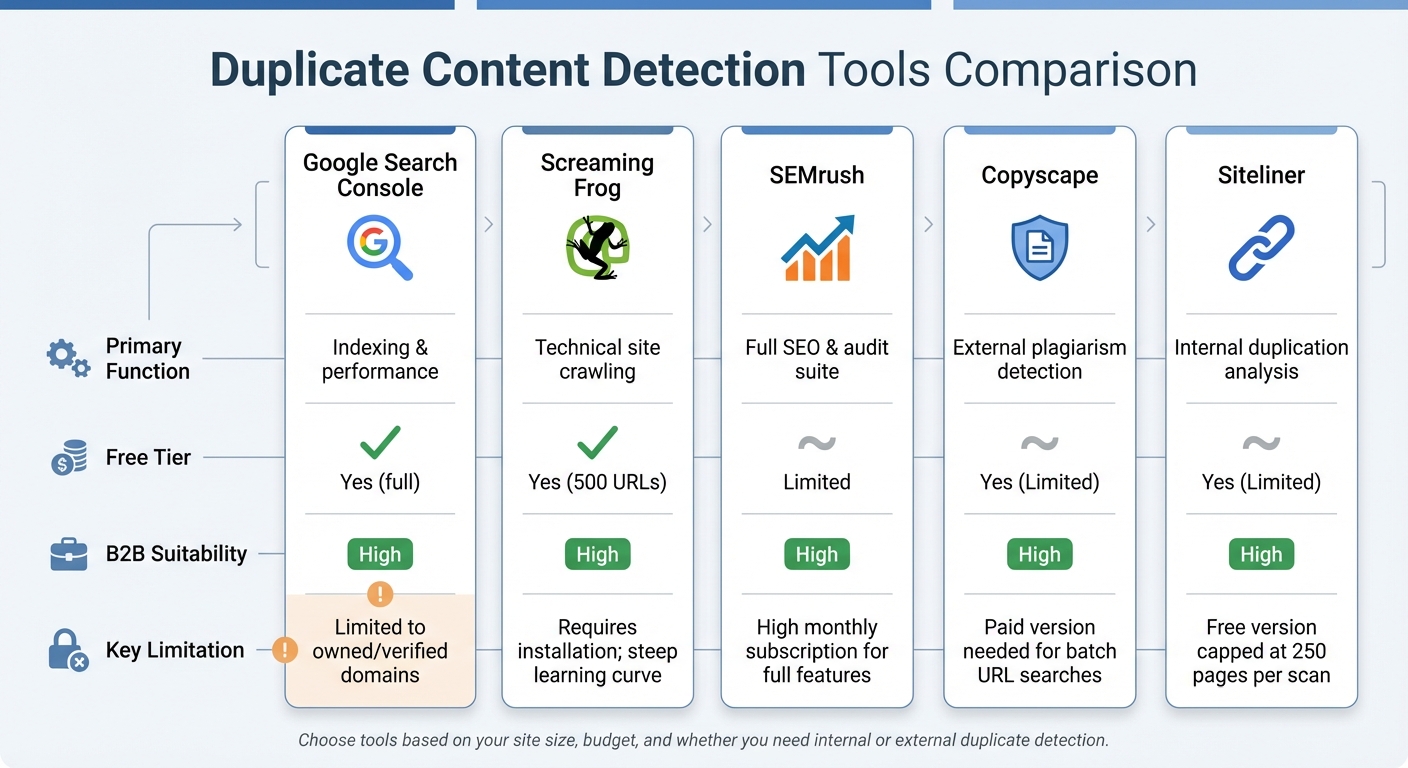
Duplicate Content Detection Tools Comparison for B2B SEO
Once you’ve pinpointed sources of duplicate content, the next step is using the right tools to identify both internal and external duplicates across your B2B content. Below are some top tools designed to detect duplicate content while seamlessly integrating with your existing SEO strategies.
Duplicate Content Detection Tools Comparison
Different tools cater to various needs when it comes to identifying duplicate content. Here’s a quick comparison of some effective options for B2B websites:
| Tool Name | Primary Function | Free Tier | B2B Suitability | Key Limitations |
|---|---|---|---|---|
| Google Search Console | Indexing & performance | Yes | High | Limited to domains you own and verify. |
| Screaming Frog | Technical site crawling | Yes (500 URLs) | High | Requires installation; steep learning curve. |
| SEMrush | Full SEO & audit suite | Limited | High | High monthly subscription for full features. |
| Copyscape | External plagiarism detection | Yes (Limited) | High | Paid version needed for batch URL searches. |
| Siteliner | Internal duplication analysis | Yes (Limited) | High | Free version capped at 250 pages per scan. |
Google Search Console
Google Search Console is a great starting point for tackling duplicate content issues. Navigate to Indexing > Pages to identify exclusions. Look for statuses like "Duplicate, Google chose different canonical than user" or "Duplicate without user-selected canonical." Additionally, the URL Inspection tool shows which version Google considers authoritative. This is crucial, as nearly half of all websites face duplicate content challenges.
Screaming Frog SEO Spider
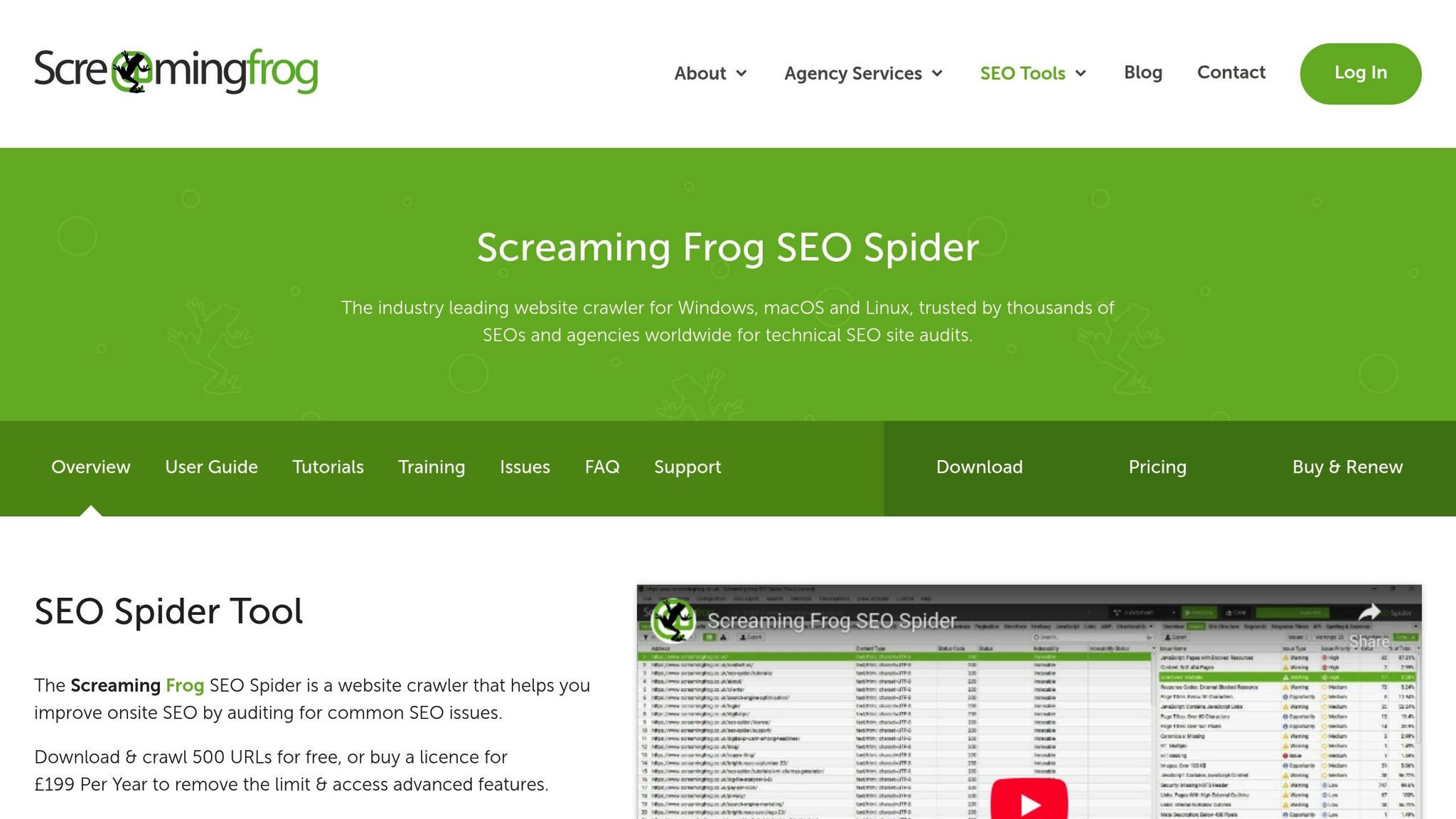
Screaming Frog is a powerful tool for crawling your website to uncover technical SEO issues, including duplicate content. Identifying these issues is a core component of a technical SEO audit. The free version supports up to 500 URLs, while the paid version (around US$259 annually) allows unlimited crawling. Its "Near Duplicates" feature is particularly helpful for identifying pages that are similar but not identical – ideal for B2B sites with extensive product catalogs.
SEMrush Site Audit
SEMrush excels at detecting internal duplication during its Site Audit process, flagging pages that are 85% or more identical. After running an audit, check the "Issues" tab for duplicates and content clusters – groups of pages competing for the same keywords. Pricing begins at US$139/month for the Pro plan and goes up to US$499/month for Business plans. SEO expert Tushar Pol explains:
With internal duplication, your own pages cannibalize each other’s ranking potential. And with external duplication, there’s a risk that another site’s copy could rank instead of your original content.
SEMrush’s detailed reports help you prioritize which duplicates to address first.
Copyscape
Unlike the other tools, Copyscape focuses on external duplicates by scanning the web for unauthorized copies of your content. This is essential for B2B companies that publish original research, white papers, or thought leadership pieces. Copyscape operates on a credit-based system, offering limited free searches and paid plans starting at US$10/month. For ongoing protection, the Copysentry service automates alerts whenever new copies are detected online. Considering that 25% to 30% of all web content is duplicate, safeguarding your original work can protect your rankings and reputation.
Armed with these tools, you can efficiently identify and address duplicate content issues, ensuring your B2B content remains competitive and authoritative.
How to Fix Duplicate Content: Step-by-Step
Once you’ve identified duplicate content using the suggested tools, follow these steps to address the issue effectively.
Run a Complete Content Audit
Start by pinpointing every instance of duplicate content across your site. Google Search Console is a great starting point – check the Indexing > Pages report for statuses like "Duplicate without user-selected canonical" or "Duplicate, Google chose different canonical than user." Pair this with a crawl using tools like Screaming Frog or SEMrush to identify pages that are identical or very similar. Pay close attention to areas like product pages, category filters, or URLs with tracking parameters. Once you’ve mapped out the duplicates, use canonical tags to indicate your preferred URLs.
Add Canonical Tags
Canonical tags (rel="canonical") tell search engines which version of a page is the primary one. Add this tag to the head section of duplicate pages, pointing to the preferred URL. For example, if product pages can be accessed through multiple filter combinations, canonicalize them to the base product URL. Always use absolute URLs (e.g., "https://example.com/page") instead of relative paths to avoid confusion. Google’s John Mueller advises using self-referencing canonicals on every unique page – this means each page should point to itself to avoid issues caused by tracking parameters or session IDs. Keep in mind that canonical tags are suggestions for search engines, not strict rules.
Set Up 301 Redirects
For permanently consolidating duplicate URLs, 301 redirects are your best option. Unlike canonical tags, which suggest a preferred URL, 301 redirects are server-side commands that automatically send users and search engines to the correct page. This is especially useful for site-wide changes like switching from HTTP to HTTPS or merging www and non-www versions of your domain. Redirects also transfer most of the link equity to the target page, making them a stronger signal than canonical tags. Use 301 redirects for permanent changes, not for temporary variations. After setting up redirects, refine your index by applying noindex tags where appropriate.
| Feature | rel="canonical" Tag | 301 Redirect |
|---|---|---|
| Nature | HTML hint for search bots | Server-side command for browsers and bots |
| User Experience | User stays on the original page | User is redirected to the new URL |
| Link Equity | Consolidates signals to the preferred URL | Transfers most link equity to the target |
| Best Use Case | Product variants, tracking parameters, pagination | Permanent moves, domain changes, retiring content |
Apply Noindex Tags
For pages that users need but shouldn’t show up in search results – like internal search result pages, staging environments, or faceted navigation paths – use the <meta name="robots" content="noindex,follow"> tag. This tells search engines to crawl the links on the page but exclude the page itself from search results. Secure testing environments with authentication or noindex directives. Avoid blocking these pages in robots.txt because search engines need to crawl the page to see the noindex tag.
Fix URL Parameters and Pagination
Dynamic URLs created by sorting filters, session IDs, or tracking codes can drain your crawl budget. Remove tracking parameters like UTM codes from the URL in your canonical tags, and ensure all parameterized versions point to the clean master URL. For pagination, use self-referencing canonicals on each page or apply noindex tags starting from page two. If you have a "View All" page that consolidates all items, canonicalize the entire series to that single URL. Lastly, make sure your internal links, XML sitemaps, and canonical tags consistently point to the preferred URL.
How to Prevent Future Duplicate Content
Preventing duplicate content is key to protecting your rankings, optimizing your crawl budget, and maintaining strong SEO over time. Studies show that 29% of websites currently struggle with duplicate content issues, but taking proactive steps can reduce new duplication problems by over 85%.
Use Consistent URL Structures
Consistency is critical when it comes to URL structures. Decide on a single domain format (www or non-www) and one protocol (HTTPS), then enforce these preferences with 301 redirects. Make sure all internal links point to canonical URLs. As Martin Splitt, Google Developer Advocate, notes:
Canonical URLs suggest to Google which version you prefer. But the algorithm might override your choice based on other factors like internal linking patterns, user behavior data, or which version gets more external links.
Also, keep your XML sitemaps tidy by including only canonical URLs – avoid listing parameterized or duplicate versions.
Regular Technical SEO Audits
Schedule quarterly audits for smaller B2B sites, but increase this frequency for larger enterprises or after significant site changes. Tools like Screaming Frog or SEMrush can help identify pages that are 85% or more identical – cases that might go unnoticed during manual reviews. After site migrations, CMS updates, or redesigns, run an audit immediately to catch duplication issues early, before they harm your rankings.
Additionally, monitor Google Search Console’s "Page Indexing" report to identify URLs excluded due to duplication. Catching these early ensures they don’t undermine your site’s authority.
Write Original Content
Aim for each page to be at least 70% unique. For B2B e-commerce sites, avoid relying on manufacturer-provided product descriptions. Instead, rewrite them to include your brand’s unique insights and specific use cases. If you’re using AI-generated content drafts, establish guidelines for human review and editing to ensure originality and alignment with your brand’s voice.
To add variety, include formats like case studies, original research, and expert interviews. For teams with multiple content creators, a centralized system for tracking new pages can help avoid accidental overlaps.
While fixes like canonical tags and 301 redirects address existing duplication, these practices are essential for preventing future issues. Together, they set the stage for long-term SEO success in the B2B space.
Work with Organic Media Group for B2B SEO

Organic Media Group provides customized solutions for tackling B2B SEO challenges, particularly when it comes to managing duplicate content. Addressing duplicate content isn’t a one-time fix – it requires continuous attention, technical know-how, and a strategy aligned with the unique needs of B2B buyer journeys. Through a meticulous audit process, Organic Media Group identifies, analyzes, and resolves duplicate content issues while keeping a close watch on performance over time. This thorough approach is paired with strategies designed to keep your B2B conversion funnel running smoothly.
For B2B businesses, maintaining a seamless conversion funnel is non-negotiable. Technical SEO plays a crucial role in ensuring that key elements like lead capture forms, whitepapers, and gated resource hubs remain properly indexed. This helps avoid disruptions such as broken forms, slow-loading landing pages, or poorly configured redirects that can interfere with the complex, research-heavy B2B buying process. These efforts not only address immediate concerns but also establish a solid foundation for long-term SEO performance.
To prevent future duplication issues, Organic Media Group employs automated, real-time monitoring to catch crawl errors, mobile usability problems, and performance drops. Their services also include implementing technical solutions like standardized URL structures and fine-tuned CMS configurations, seamlessly integrating these into their overall framework.
With over 650 successful campaigns under their belt, Organic Media Group combines technical SEO expertise with content strategy, leveraging standardized processes and advanced AI tools to ensure originality and quickly handle duplication challenges.
Whether you’re managing a large enterprise, regional offices, or franchise networks, partnering with Organic Media Group ensures a strong technical foundation, better crawl budget management, and protection for your organic rankings.
Conclusion
Duplicate content poses a real challenge for B2B websites. Around 29% of pages on the web contain duplicate content, creating issues like lost link equity, wasted crawl budgets, and internal competition. These problems demand immediate attention and a clear strategy to resolve them.
This guide has outlined a step-by-step approach to tackle duplicate content effectively. The process starts with a detailed audit using tools like Google Search Console or Screaming Frog to identify where duplication occurs. From there, implement the right fixes: 301 redirects to permanently consolidate duplicate pages, canonical tags to highlight the preferred version of content, and noindex tags for pages that should remain accessible to users but not indexed by search engines. For B2B websites managing complex structures like regional offices, product catalogs, or franchise networks, these solutions can help prevent widespread duplication that could derail your SEO efforts.
SEO experts agree that resolving duplicate content enhances crawl efficiency and consolidates link equity. By addressing these issues, you not only reclaim your site’s authority but also set the foundation for long-term organic growth.
Don’t let duplicate content undercut your B2B SEO strategy. Whether you handle this internally or work with specialists experienced in B2B challenges, taking action now ensures better search visibility and lasting results. Consider working with Organic Media Group to implement these solutions and solidify your position as a trusted leader in your industry.
FAQs
When should I use a canonical tag vs a 301 redirect?
When dealing with duplicate or similar URLs, a canonical tag helps point search engines to the preferred version of a page. This is especially useful when you need to keep multiple URLs active but want to avoid splitting SEO value between them.
On the other hand, if you’re permanently moving content to a new URL, a 301 redirect is the way to go. It ensures that the full SEO value is transferred to the new page while also consolidating traffic seamlessly.
How do I stop URL parameters from creating duplicate pages?
To avoid URL parameters creating duplicate pages, implement canonical tags to specify the preferred version of a URL. Additionally, adjust URL parameter settings in Google Search Console or utilize parameter management tools. These tools allow you to instruct search engines on how to treat specific parameters – whether to ignore them or consolidate their impact. Taking these actions ensures a more organized and efficient site structure, which is key for SEO.
Will fixing duplicate content improve my rankings right away?
Fixing duplicate content won’t give you an instant boost in rankings, but it does improve your SEO in the long run. When you address duplicate content issues, you make it easier for search engines to identify and prioritize the right pages. This prevents your rankings from being spread thin across similar content, which can gradually enhance your overall visibility.