Internal linking remains one of the most powerful yet underutilized tools in SEO. While many focus on getting external backlinks, the smart placement of links within your own website can significantly boost rankings and create a better experience for visitors. Over the years, as search engines have grown more sophisticated, internal linking has become essential for showing the connections between your content and establishing topical authority.
Building an effective internal linking strategy requires more than just randomly adding links throughout your pages. The key is to thoughtfully connect related content in a way that helps both users and search engines understand the logical structure and relationships between different sections of your site. When done right, internal linking creates clear paths for visitors to follow while reinforcing your expertise on specific topics.
From the early days when simple keyword matching was enough, to today’s advanced algorithms that analyze content relationships and user behavior, internal linking has consistently proven its value. This guide will walk you through 8 proven internal linking best practices that you can implement right away to improve your site’s visibility and engagement. By following these tested techniques, you’ll be able to build a stronger foundation for your SEO efforts and create a more user-friendly website that delivers real results.
1. Anchor Text Optimization
Anchor text optimization is a key element of internal linking and on-page SEO. It’s the clickable text used in hyperlinks on your website. Rather than generic phrases like “click here,” effective anchor text uses descriptive keywords that tell users and search engines what they’ll find on the linked page.

Key Benefits:
- Clear keywords: Using relevant terms in anchor text helps search engines understand what the linked page is about. For instance, using “email marketing tips” as anchor text when linking to an email marketing guide provides clear context.
- Natural flow: The anchor text should fit smoothly within the surrounding content while giving users a clear preview of what they’ll find when clicking.
Advantages:
- Better search rankings: Well-chosen anchor text helps search engines properly index and rank your content
- Improved user experience: Clear anchor text helps visitors easily find what they’re looking for
Potential Issues:
- Risk of over-optimization: Using too many exact-match keyword anchors can appear manipulative to search engines and may hurt rankings
Real Examples:
Take a blog post about “home organization tips.” Instead of linking with “read more,” using anchor text like “kitchen storage solutions” or “closet organization ideas” gives readers clear expectations. SEO studies consistently show that descriptive, relevant anchor text correlates with better search performance.
History & Evolution:
Anchor text has been important since the early days of SEO, but best practices have shifted. The focus has moved from keyword-stuffing to user-friendly, natural text that helps both visitors and search engines understand content relationships.
Implementation Tips:
- Mix it up: Use different variations of anchor text rather than repeating the same phrases
- Stay relevant: Make sure anchor text accurately describes the linked content
- Think user-first: Focus on clarity and helpfulness over keyword density
Following these guidelines helps create an effective internal linking structure that works for both users and search engines while avoiding potential penalties.
2. Hierarchical Structure and Siloing

When building a website, organizing content is like arranging a well-structured filing cabinet. Hierarchical structure and siloing helps both search engines and users find and understand your content more easily. This thoughtful organization is key for better SEO results and a smoother user experience.
The approach combines two main elements: hierarchical linking and thematic silos. Think of hierarchical linking as creating clear pathways from broad topics down to specific content. Thematic silos group related content together – like putting all books by the same author on one shelf. For instance, an online bookstore might have separate sections for “Fiction,” “Non-Fiction,” and “Children’s Books,” with each section containing its own subsections and individual book pages.
This practice makes our best practices list because it directly improves two vital SEO factors: crawl efficiency and topical relevance. By organizing your site logically and connecting related pages, you make it simple for search engines to find and index your content. At the same time, you build authority within each topic area, showing search engines that you’re a trusted source of information.
Pros:
- Better crawl efficiency: Search engines can find and understand your pages more easily
- Stronger topical authority: Well-connected content within each topic area builds credibility
Cons:
- Needs ongoing attention: Creating and maintaining this structure takes consistent work as your site grows
Real-World Examples:
Think about how pet supply websites organize their content. They might have distinct sections for “Dog Care,” “Cat Supplies,” and “Fish Equipment.” Each section contains product pages, care guides, and related resources. Want to see this in action? Check out our category sitemap for a practical example.
A Brief History:
Website organization through siloing gained momentum as SEO experts focused more on structured data. Search engines started favoring sites with clear, user-friendly structures, making organized content increasingly important.
Tips for Getting Started:
- Plan your topics first: Before building or reorganizing your site, map out how your content topics connect
- Use breadcrumbs: Add clear navigation paths to help users and search engines understand your site structure
When implemented well, hierarchical structure and siloing helps businesses build lasting online visibility and establish expertise in their field. This approach to organizing content creates a strong foundation for long-term SEO success. Read also: [Tips for Long-Term SEO Success]. (This is a placeholder; replace with a relevant link if available).
3. Linking to Authority Pages
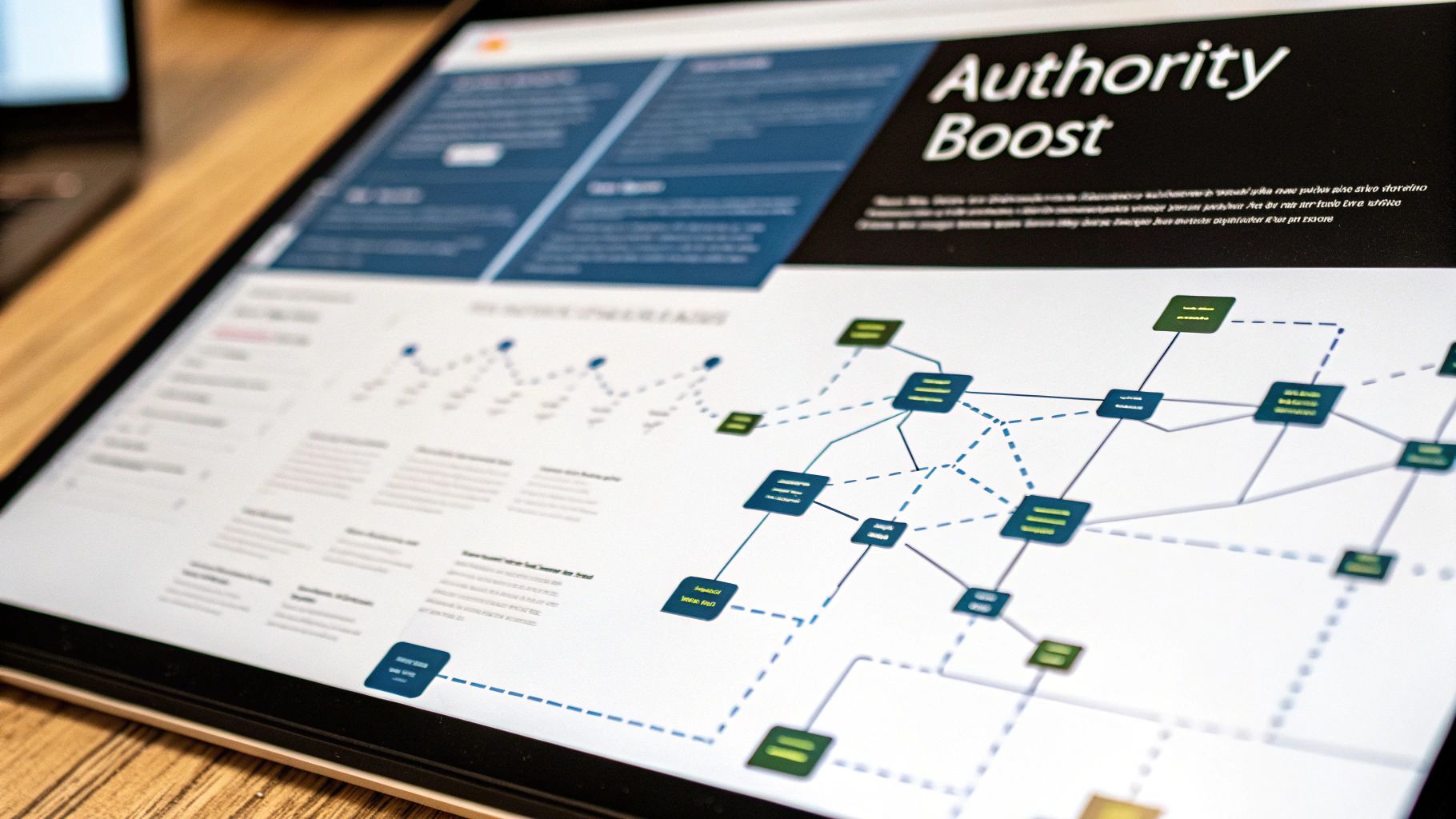
Smart internal linking to authoritative pages is key for spreading search engine value across your website. The goal is simple: link from less important pages to your most valuable content to boost its visibility. This practice helps search engines understand which pages matter most on your site.
Understanding Internal Link Value Flow
Search engines treat links as trust signals between pages. When multiple internal pages link to one destination, it tells search engines “this content is important.” By carefully linking newer or less authoritative content to your established, high-performing pages, you direct more “link value” to the content you most want to rank well.
Real Examples in Action
Take an outdoor gear website as an example. If you have a popular guide about choosing hiking boots, you can link to it from related blog posts about trails, gear reviews, and backpacking tips. This helps cement the hiking boots guide as an authority piece while giving readers helpful context.
For service businesses, you might link to your main “Web Design Services” page from blog posts about UX principles, responsive design, and website optimization. This reinforces your core service offerings while creating clear paths for visitors to convert.
History and Impact
Internal linking has been crucial since Google’s early days. As search engines get better at understanding content relationships, smart internal linking becomes even more valuable for showing what matters most on your site.
Benefits:
- Boosts key pages: Concentrates search value on your most important content
- Creates clear hierarchy: Helps search engines understand your site structure better
Challenges:
- Requires planning: You need to identify which pages deserve the most internal links
- Balance needed: Too many links from one page can reduce the value passed to each
Tips for Success:
- Use tools like Google Search Console to find your strongest pages
- Review and update internal links regularly as your content grows
- Link naturally within relevant context
Focus on building meaningful connections between related content, and you’ll help both search engines and users better understand and navigate your website.
4. Orphan Page Resolution
Orphan pages are standalone content pieces on your website that have no internal links pointing to them. While these pages may contain valuable information, they remain hidden from both search engines and users since there’s no way to navigate to them. This makes them practically invisible, wasting potentially valuable content that could be driving traffic and engagement.
Identifying and fixing orphan pages is a key part of effective internal linking. When you connect these isolated pages back into your site’s structure, you help search engines discover and index them while making valuable content accessible to your visitors.
Key Benefits:
- Better Search Engine Crawling: Search engines use links to find and index pages. Adding internal links to orphaned content helps ensure it gets discovered and included in search results.
- More Value from Existing Content: Many orphan pages contain useful information that could be attracting visitors. Proper internal linking lets you tap into this unused potential.
Main Challenge:
- Time Investment Required: Finding orphan pages takes effort, especially on larger sites. However, the improvements in visibility and traffic make it worthwhile.
Practical Example:
Consider a website with an older blog post about “winter gardening tips” that has no internal links pointing to it. By adding links from related content like “preparing your garden for spring” or a “seasonal gardening” category page, you create natural pathways for users to discover this valuable but previously hidden content.
Growing Importance:
As search engines have gotten better at evaluating site structure and user experience, having a solid internal linking strategy has become essential. Tools like SEMrush have made it easier to find and fix orphan pages, helping websites optimize their content architecture.
Implementation Tips:
- Check Google Search Console to identify uncrawled or unindexed pages
- Connect orphan pages to topically related content within your site structure
- Focus first on pages with the highest potential value and relevance
- Review your sitemap for potential issues
By addressing orphan pages systematically, you help search engines and users discover all your valuable content while strengthening your site’s overall structure. This foundational SEO work pays off through better visibility and engagement across your entire website.
5. Contextual Linking
Contextual linking means adding relevant links within your content that point to other pages on your website. Unlike navigation menu links, these appear naturally in your text and directly connect to what you’re discussing. When done well, contextual links help readers find related information while showing search engines how your content fits together. 
Why It Works
Contextual linking stands out as a best practice because it improves both reader experience and search engine optimization. It creates clear paths between related content on your site, making it simple for visitors to explore topics that interest them while strengthening your site’s authority on key subjects.
Key Benefits:
- Natural Placement: Links appear where they make sense in the text, giving readers helpful related resources
- Better Engagement: Easy access to connected content keeps visitors exploring your site longer and reduces bounce rates
- SEO Value: Shows search engines the connections between your content and helps establish topic expertise
Pros and Cons
Advantages:
- Keeps visitors reading and exploring more pages
- Builds credibility and shows depth of knowledge
Potential Issues:
- Too many links can overwhelm readers and interrupt the flow
Real Examples
When writing about content marketing, you might link to:
- A detailed case study showing results
- A beginner’s guide to content strategy
- Resources for content creation
While specific metrics are often private, websites that use smart contextual linking generally see better search rankings and visitors spending more time on their pages.
How It Started
Contextual linking became important as search engines got better at understanding how websites connect information together. What started as basic navigation evolved into a key way to show the relationships between content.
Tips for Good Implementation:
- Write Natural Links: Instead of “click here for content marketing tips,” try “learn how to create an effective content marketing plan”
- Don’t Overdo It: Keep links balanced – too many is distracting
- Use Clear Link Text: Rather than “read more,” use descriptive phrases like “explore our guide to search engine optimization”
Follow these guidelines to create contextual links that help both readers and search engines understand and navigate your content better.
6. Use of HTML Sitemaps
HTML sitemaps serve as key navigation tools for both users and search engines alike. Think of them as a handy roadmap that shows visitors and crawlers every corner of your website. When implemented properly, sitemaps can boost your search rankings and drive more organic traffic to your pages.
Features:
- Clear site structure display with organized links to all important pages
- Easy navigation for both human visitors and search engine bots
- Hierarchical page organization reflecting your site’s architecture
Key Benefits:
- Better Search Engine Access: Crawlers can easily find and index even deeply nested pages
- Improved User Navigation: Visitors can quickly locate specific content, especially on larger sites
- Enhanced Site Structure: Creates a logical hierarchy of your website’s content
Important Considerations:
- Regular updates needed as site content changes
- Must reflect current site structure accurately
- Should be easily accessible, typically linked from footer
History and Growth:
HTML sitemaps emerged alongside XML sitemaps in web’s early days. While XML files were built for search engines, HTML versions helped actual users browse sites more effectively. As websites grew more complex, HTML sitemaps became essential tools for both navigation and SEO success.
Real Examples:
Major retail sites like Amazon use HTML sitemaps to help shoppers browse their massive product catalogs. Small business websites also benefit – a local restaurant might use a simple sitemap to showcase their menu sections, locations, and booking pages.
Implementation Tips:
- Update your sitemap whenever you add or remove pages
- Organize pages logically by category and subcategory
- Place a sitemap link in your site footer
- Use clear, descriptive link text (e.g. “Our Services” vs “Page 1”)
- Keep the structure clean and easy to scan
Strategic Value:
HTML sitemaps remain vital for:
- Small businesses wanting better search visibility
- Content-heavy sites needing clear navigation
- E-commerce stores with large product catalogs
- News/media sites with extensive archives
- Organizations focused on user experience
When implemented thoughtfully, HTML sitemaps help both visitors and search engines discover and navigate your content effectively. For many sites, they’re an essential component of a strong SEO and usability strategy.
7. Link Relevancy Filtering
Thoughtful internal linking connects related pages on your website in a way that helps both users and search engines understand your content better. You want to link pages that naturally fit together based on their topics, rather than randomly connecting unrelated content.
Think about visiting a page about running shoes and finding a link to gardening tips – that’s not helpful for someone shopping for athletic footwear. Smart internal linking focuses on creating connections that make sense and enhance the reader’s journey through your site.
Key Elements:
- Link to pages covering related topics and themes
- Maintain clear topical focus on each page
- Help users discover relevant additional content
Benefits:
- Higher user engagement as people explore connected topics
- More natural site navigation experience
- Improved understanding of site structure by search engines
Potential Drawbacks:
- May need to skip some link opportunities to stay focused
- Requires ongoing review to maintain relevance
Real-World Examples:
A camera product page should link to:
- Related camera accessories and lenses
- Comparison pages for similar models
- Photography tips and tutorials
But not to unrelated content like company news or household items.
One e-commerce site saw 15% higher sales after refining their internal linking to focus on relevant product and category connections rather than trying to link everything together.
Implementation Tips:
- Consider user intent – what additional information would help someone reading this page?
- Regularly audit links to ensure they remain relevant as content changes
- Focus on creating natural pathways between topically related pages
- Remove or update outdated links that no longer serve a purpose
By being strategic about internal linking, you create a better experience for users while helping search engines understand the relationships between your content. This structured approach helps both visitors and search algorithms navigate your site more effectively.
The key is maintaining focus – not every page needs to link to every other page. Natural, relevant connections work best for helping users find what they need while strengthening your overall site architecture.
8. Using Breadcrumb Navigation
Breadcrumb navigation helps users follow their path through your website’s structure – like a digital trail of breadcrumbs. This simple but powerful navigation aid makes it easier for visitors to understand where they are and how to get back to previous pages. When implemented well, breadcrumbs reduce bounce rates and help both users and search engines better understand your site.
What Are Breadcrumbs?
Breadcrumbs show up as a horizontal line of links, usually separated by “>” symbols, displaying the path from the homepage to the current page. For example: Home > Blog > SEO > Internal Linking Best Practices. This clear visual guide helps users track their location within your site’s hierarchy.
Key Benefits for Users and SEO:
- Better User Navigation: Users can easily backtrack through sections without relying on the browser’s back button. This is especially helpful on large sites with many category levels.
- Improved Search Performance: Search engines use breadcrumbs to understand your site structure and relationships between pages. They often display breadcrumbs in search results, giving users more context about page location.
- Reduced Bounce Rates: Clear navigation paths encourage users to explore more pages rather than leaving when they feel lost.
Strengths and Limitations:
- Strengths: Makes navigation intuitive, helps search engines understand site structure, keeps users engaged
- Limitations: Can add visual clutter if not designed thoughtfully
Common Examples:
E-commerce sites often use breadcrumbs to show product categories: Home > Electronics > Smartphones > iPhone 14. News sites might display: Home > Technology > Software > Reviews.
Implementation Tips:
- Keep Labels Clear: Use short, descriptive names for each navigation level
- Add Schema Markup: Use breadcrumb schema to help search engines better understand and display your site structure
- Maintain Consistency: Place breadcrumbs in the same location across all pages
History and Usage:
Named after the trail of breadcrumbs in Hansel and Gretel, this navigation pattern has become standard on large websites. Major platforms like Amazon and eBay rely on breadcrumbs to help users navigate their vast product catalogs. While specific data is limited, usability research consistently shows that breadcrumbs improve site navigation and reduce user frustration.
Real World Impact: Large e-commerce sites demonstrate how effective breadcrumbs can be. Their extensive product catalogs become much more manageable when users can easily track their location and move between categories. This simple navigation aid helps both casual browsers and focused shoppers find what they need.
By implementing breadcrumbs thoughtfully, you can make your site easier to use and understand – for both human visitors and search engines. This proven navigation pattern continues to be valuable for helping users find their way through complex website structures.
8-Point Internal Linking Strategy Comparison
| Strategy | 🔄 Complexity | ⚡ Resources | 📊 Expected Outcomes | 💡 Ideal Use Cases & Key Advantages |
|---|---|---|---|---|
| Anchor Text Optimization | Moderate – requires careful keyword selection | Low to Moderate – manual tuning with basic tools | Enhances SEO and user experience | Ideal for sites refining internal linking; advantages include keyword-rich anchors and contextual relevance |
| Hierarchical Structure and Siloing | High – involves detailed planning and ongoing maintenance | Moderate to High – demands time and strategic oversight | Improves crawl efficiency and topical strength | Best for large content or e-commerce sites; offers clear content hierarchy and thematic organization |
| Linking to Authority Pages | Moderate – needs identification of key authoritative pages | Low – leverages existing content | Boosts target page authority and balances internal PageRank | Suitable for blogs and content sites; advantage in organizing internal authority flow |
| Orphan Page Resolution | Moderate – identification and integration can be time-consuming | Moderate – requires audit tools like Search Console | Increases crawlability and drives traffic to overlooked content | Great for sites with unlinked pages; advantage in maximizing content visibility |
| Contextual Linking | Low to Moderate – must integrate links naturally within text | Low – relies on quality content creation | Improves user retention and enhances content relevancy | Ideal for content-rich blogs and articles; advantage in creating seamless, relevant internal connections |
| Use of HTML Sitemaps | Low – easy to implement but must be updated regularly | Low – simple development and maintenance | Enhances overall site crawlability and aids navigation | Suitable for complex websites; advantage of providing a comprehensive overview of site structure |
| Link Relevancy Filtering | Low – concept-driven with periodic audits | Low – requires regular content evaluation | Maintains topical focus and boosts user satisfaction | Best for niche sites; advantage in preventing dilution of authority through irrelevant links |
| Utilizing Breadcrumb Navigation | Low – integrates into existing design with careful placement | Low – often part of standard website templates | Enhances user experience and improves site indexability | Ideal for corporate and e-commerce sites; advantage in offering clear navigational cues and SEO benefits |
Elevating Your SEO Game with Internal Linking
Smart internal linking is crucial for both visitors and search engines. By implementing these 8 key practices – optimizing anchor text, creating clear site hierarchy, linking to authority pages, fixing orphan pages, adding contextual links, using HTML sitemaps, filtering for relevance, and including breadcrumbs – you’ll build a stronger website that ranks better and drives more organic traffic.
The goal is to create natural link pathways that help users navigate while reinforcing your content’s topical focus. Review your internal linking structure regularly to keep it aligned with your evolving content and the latest SEO best practices. As search engines put more emphasis on user experience, having clear internal navigation becomes even more important.
Key Takeaways:
- Focus on User Experience: Internal links should make it easy for visitors to find what they need
- Use Clear Anchor Text: Write descriptive link text that helps users understand where links go
- Create Logical Structure: Organize content in a way that makes sense for both users and search engines
- Review and Update: Check links regularly to fix broken ones and optimize anchor text based on performance
Ready to improve your internal linking and boost your SEO results? Organic Media Group can help. We create data-driven SEO strategies customized for your business goals, from optimizing internal links to comprehensive content plans that increase visibility and drive qualified traffic. Visit Organic Media Group to learn how we can help grow your organic search presence.